RosettaHub™
One platform. Every cloud.
Complete control.
Govern every cloud with RosettaOps. Work on every cloud through RosettaCloud. Run your entire multi-cloud estate from one place.
The platform
One architecture, every cloud
-
RosettaHub
Services and apps
Launched from the marketplace
-
APIs, CLIs and SDKs
Web console, desktop app and MCP servers
-
Cross-cloud services
Git, container registries and LLM access
-
Collaboration models
Organisations, groups, projects and sharing
-
Formations
Customisable service delivery templates
-
Unified cloud operations
One set of operations for every provider
-
Converged meta-model
One model of every cloud’s resources
-
Public and private clouds

 Microsoft Azure
 Also Oracle Cloud, OpenStack and VMware
One platform.
Governance underneath, self-service on top.
Follow one company, Ora X, as it runs AWS, Azure and Google Cloud from RosettaHub.
-
1 RosettaOps
Governed in minutes.
Ora X runs one step on its management account and its organisation appears: the central admin, the security, log archive and FinOps accounts, then each team and each product as an organization or a project. The company budget sits at the top, $100,000 for the year, and everything below it is measured against it. Open a team and every person has their own accounts, on whichever clouds they use, each with one owner and its own budget, so cost is allocated by account, not by tags somebody forgot to set.
How onboarding works →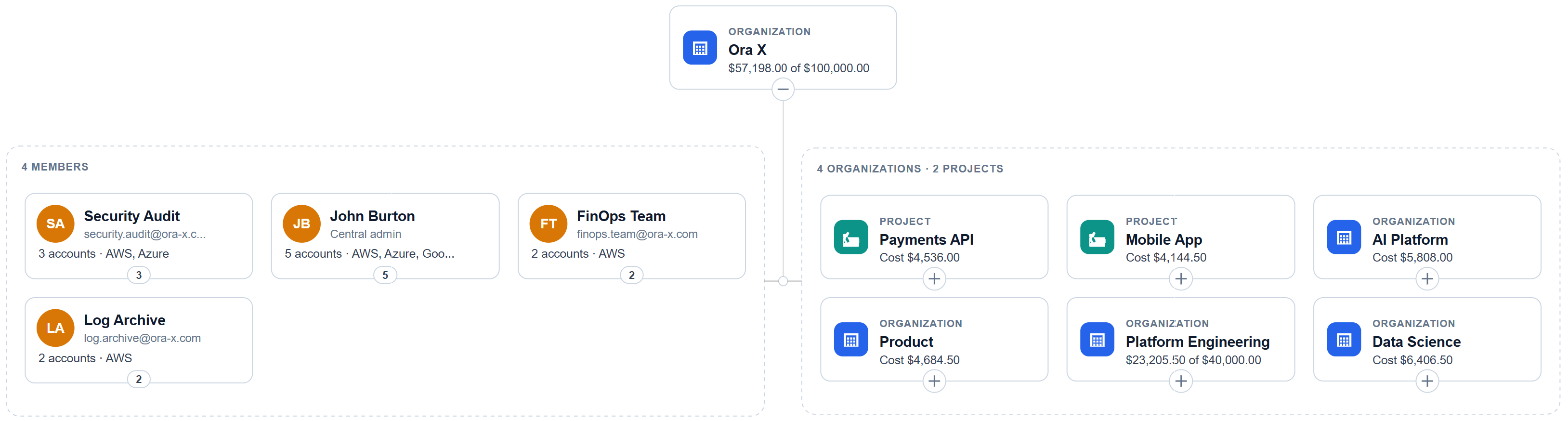
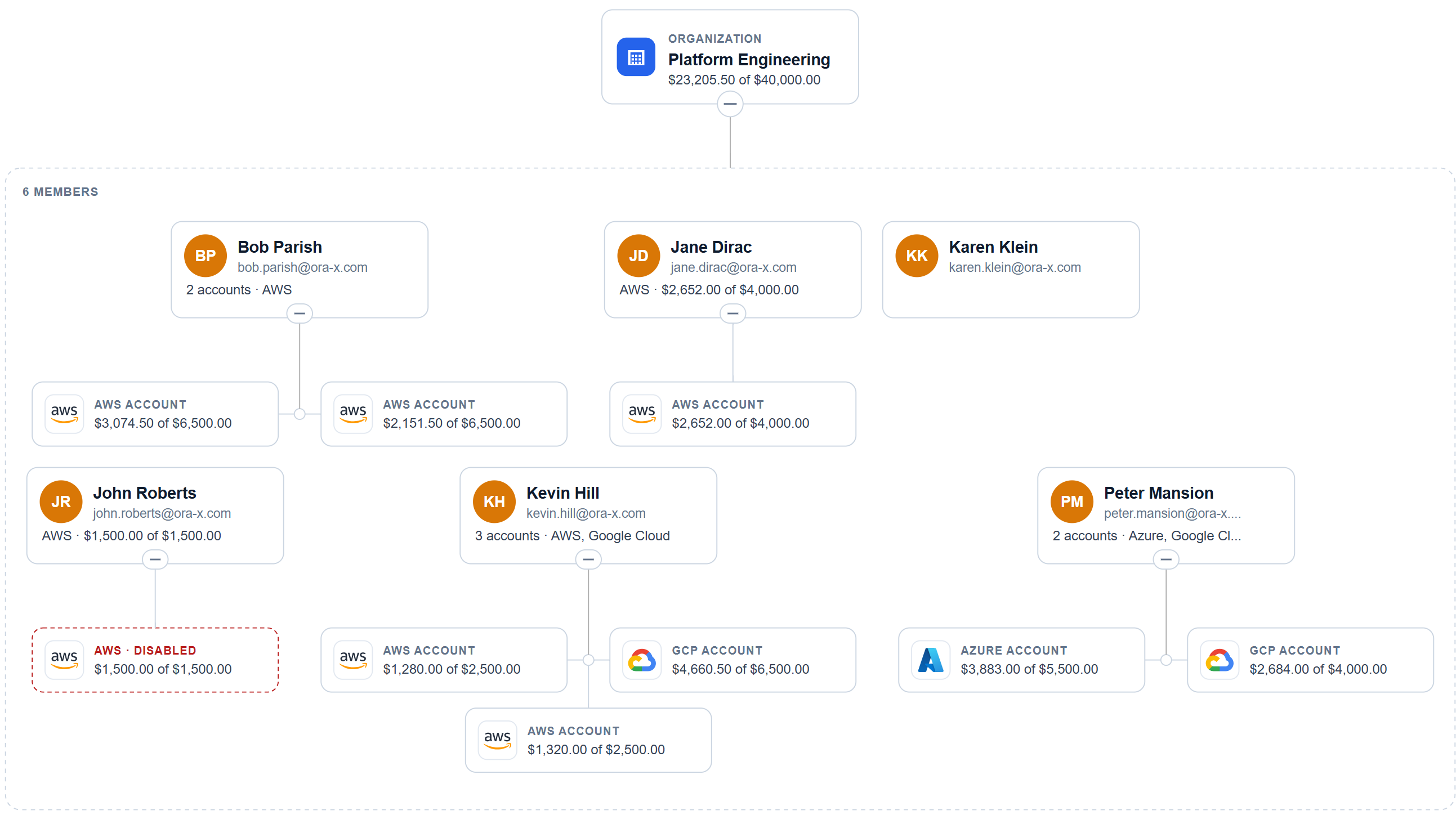
Ora X at the top level, $57,198 spent of $100,000, then its Platform Engineering team opened: six engineers, accounts on three clouds, and one sandbox stopped at its budget. -
2 RosettaCloud
The platform team builds it once, as a Formation.
Ora X’s engineers want Grafana. The platform team clones an approved Ubuntu Formation, which keeps its image, machine size and safeguards, then names it Grafana and gives it its logo and a description. Nobody else has to know how it is built.
How Formations work →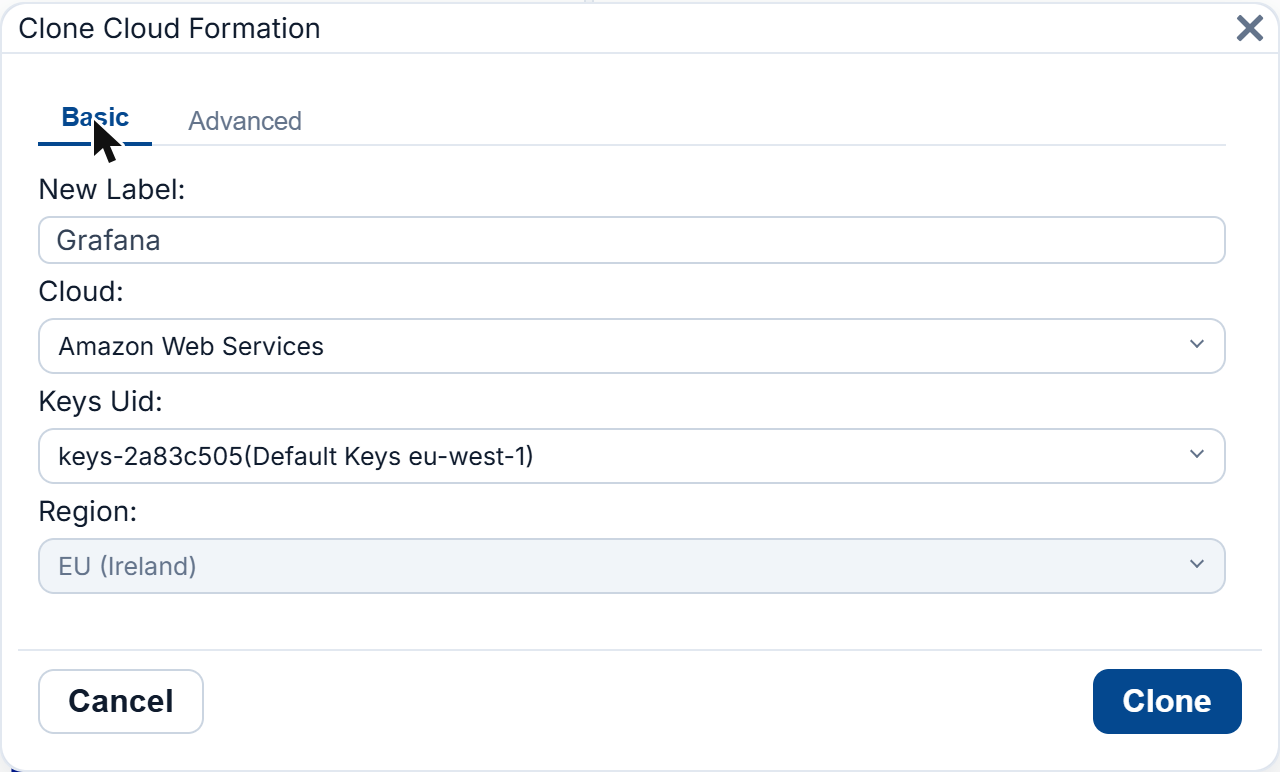
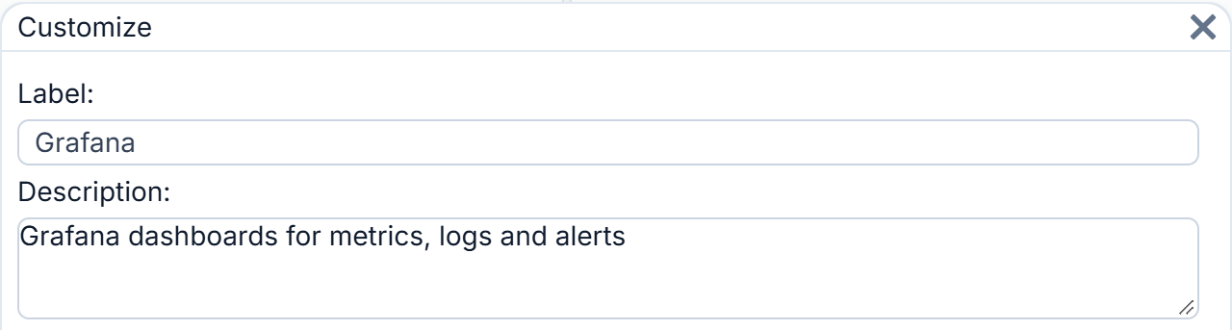
Cloning an approved Formation in Ireland, then giving it its name and description. -
3 RosettaCloud
They share it like a Google Doc.
Share it with Kevin and Peter, a group or a whole organisation. Choose whether they may clone it, how many machines each may run and when their access ends, and take it back with one click. There is no IAM policy to write and no keys to hand out.
Sharing →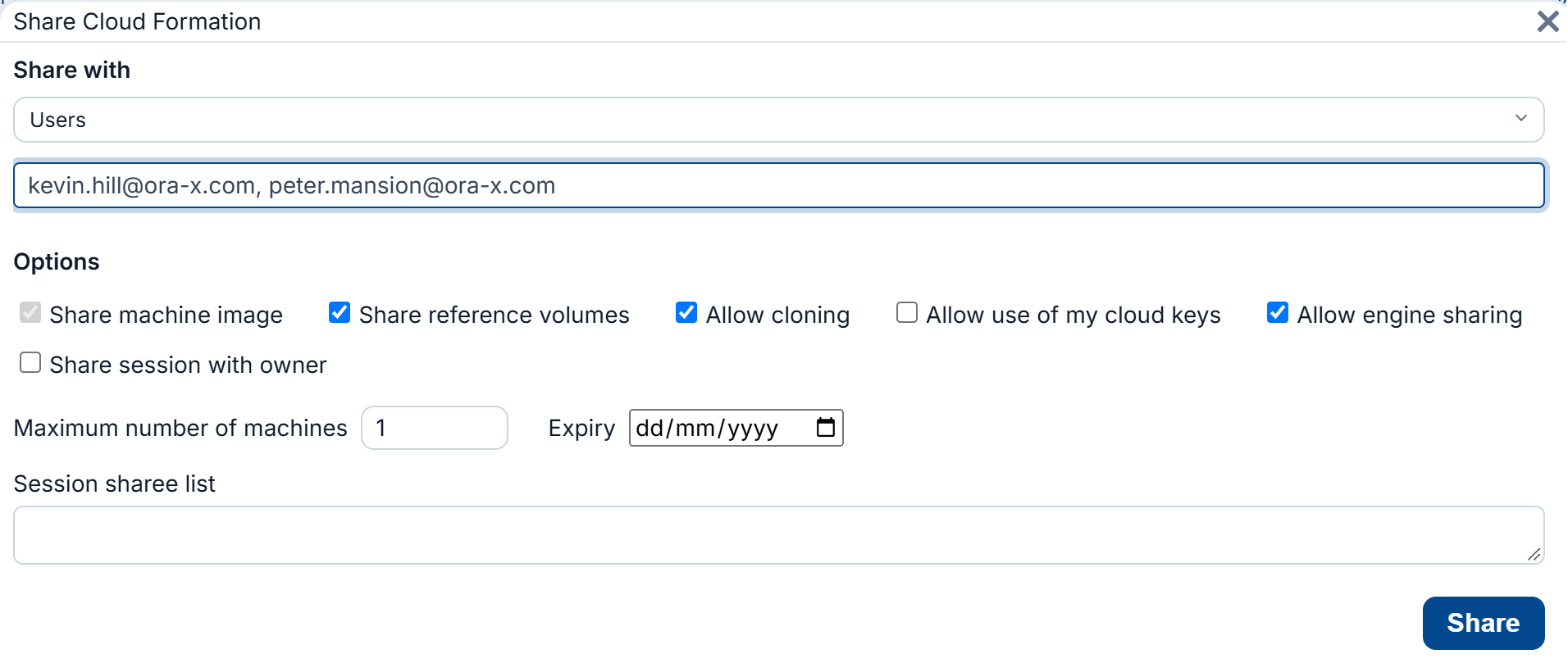
Sharing the Grafana Formation with two engineers, with what they may do with it. -
4 RosettaCloud
Everyone launches it, on their own account.
Grafana now sits in the catalogue next to Gitea, mail and the standard servers, the same way on every cloud. Kevin launches it in a click, it runs in his own account under his own budget, and the session shows what it has cost so far. When the platform team ships a new Grafana version, they update the Formation once and the next launch gets it. Engineers who prefer the cloud’s own console sign straight into their account instead, under the same limits and the same budget.
Explore RosettaCloud →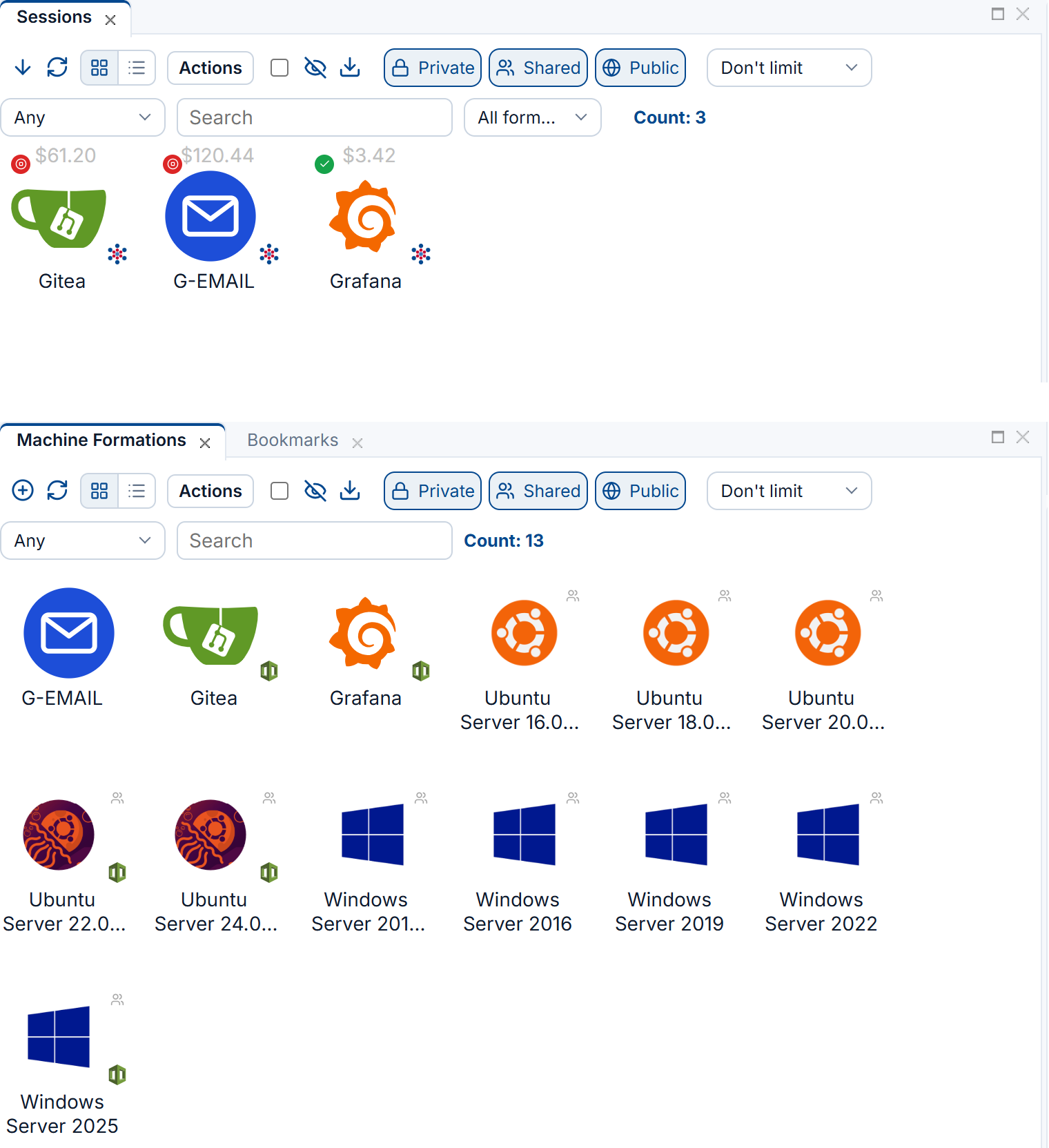
Running sessions with their cost, above the catalogue of Formations ready to launch. -
5 RosettaOps for LLM spend
AI models are governed like everything else.
The AI Platform team chooses which models each account may call, with each model’s price per million tokens in front of them. Token cost comes out of the same budget as compute and storage, and a model that is not allowed is refused at the cloud’s own API.
Govern AI spend →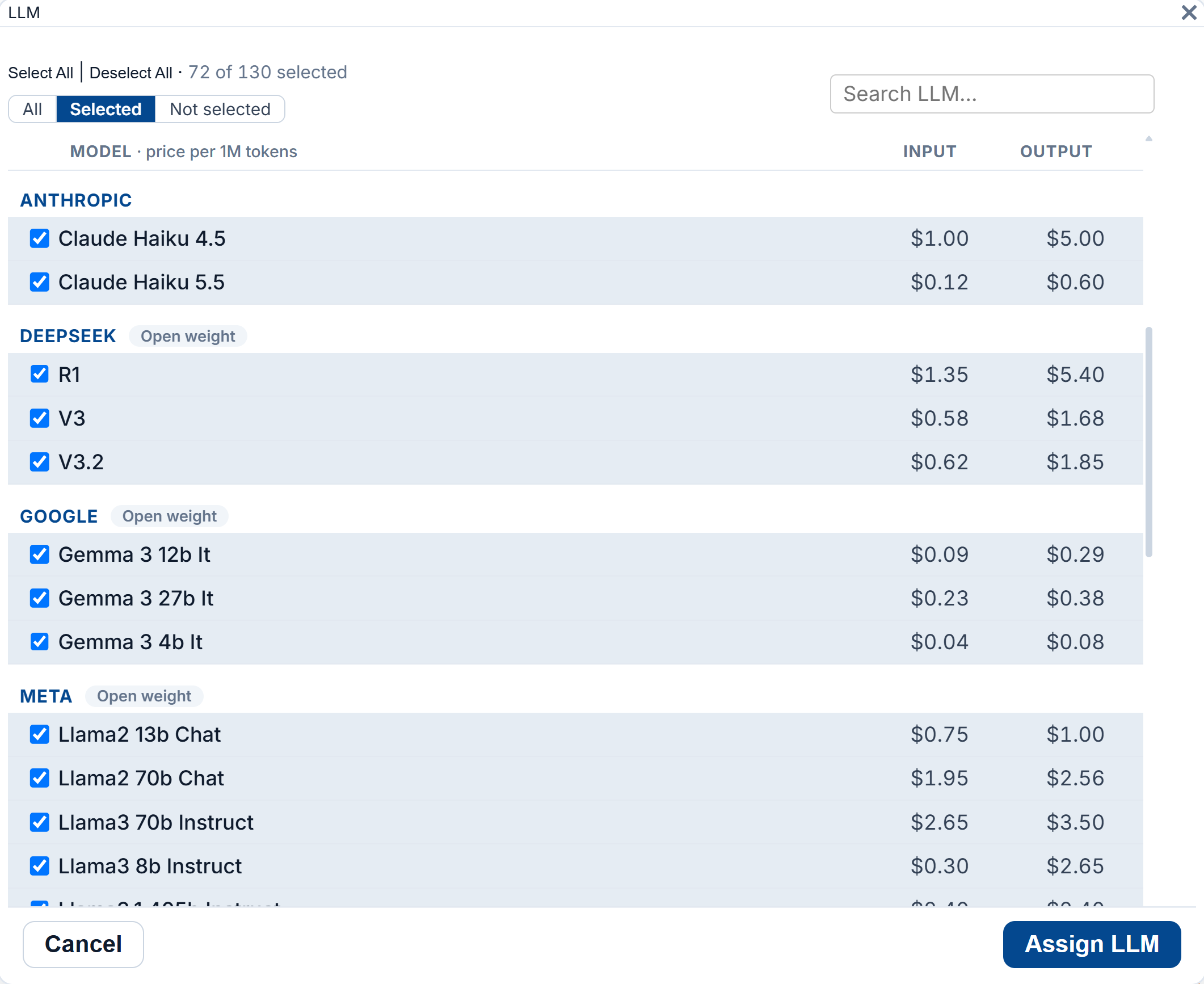
The models one account may call, grouped by maker, with their prices. -
6 RosettaOps
Spend stops at the budget, not at the invoice.
John’s sandbox reached its $1,500 budget and was disabled at the cloud’s API the moment it did, before the bill arrived. Machines nobody is using stop on their own after six hours, so nothing runs all weekend by accident.
Budget enforcement →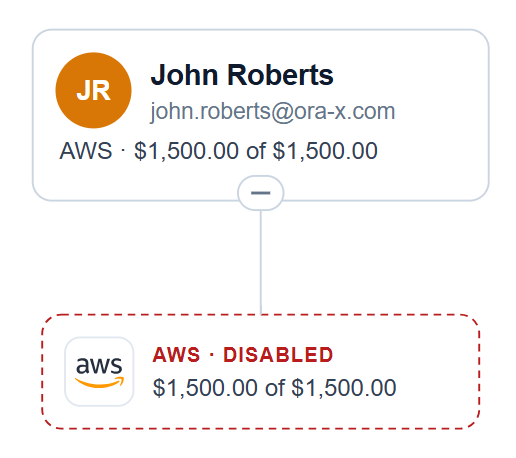

An account disabled at its budget, and the idle-machine safeguard on another. -
7 RosettaOps
Finance sees it live, by team and by project.
The same figures roll up to Ora X as they are spent. Finance sees what is left of the year’s budget, how fast it is going and when it would run out, without waiting for the month’s bill or building a report.
See How It Works →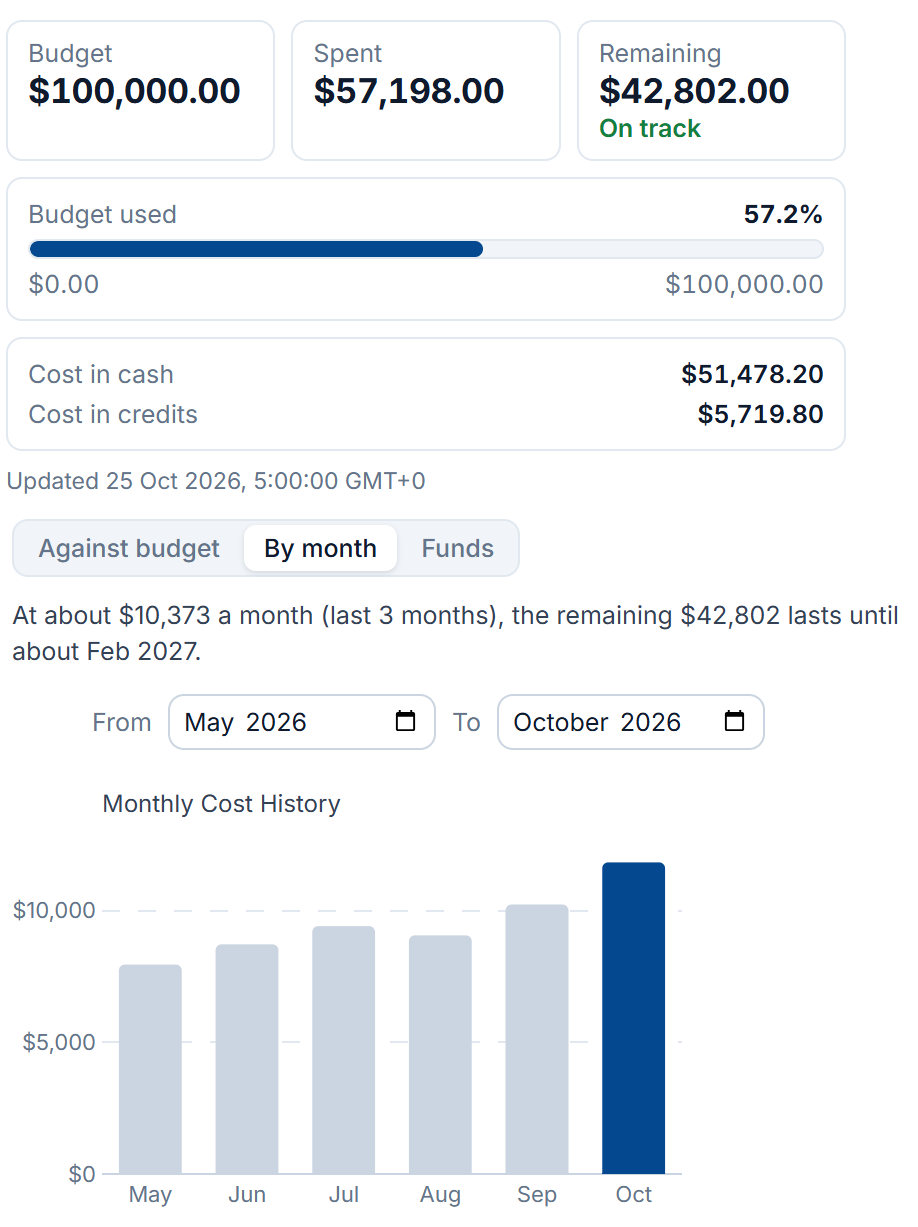
Ora X’s costs: the budget, the spend by month, and how long the rest lasts at this rate.
Dashboards
A dashboard for every use case
Finance, platform teams and the people doing the work each see what they need. Every dashboard is built from the same views, on every cloud, and shared with a team in a click.
Finance
Budgets and costs
Platform team
Accounts and compliance
Researcher
My work
- 1Start from a ready-made dashboard for budgets, accounts, machines or AI.
- 2Add any view next to the ones already there and arrange them.
- 3Save it and share it with a person, a group or the whole organisation.
The landing zone it deploys
Landing zone on autopilot
Normally a landing zone is a deployment you then maintain by hand. Ours is derived from your org chart, roles and budgets, and stays in step with them on every cloud. Someone joins and their account, permissions and budget follow.
How the landing zone works →Why teams choose RosettaHub
Share anything like a Google Doc
Right-click a Formation, image, bucket, cluster or compliance policy and share it with users, groups or whole organisations, across clouds and accounts. No IAM ticket.
Belong to many organisations at once
A user can join unrelated organisations, such as a home institution, a consortium and a funded project, each with its own role, budget and policies. Native cloud hierarchies cannot express this.
Enforcement, not another queue
Read-only tools hand the waste to your engineers, where most of it dies in a backlog. We limit what each account can create and block it at its budget, so nobody has to be chased.
Governed in minutes
One step on your management account creates the organisation, the log archive, audit and FinOps accounts and your billing export, and one more brings the accounts you already have: about fifteen minutes for a whole organisation. No agent, no proxy.
Govern and compute in one place
Governance for the CTO, self-service for the team, and federated console access for everything else. One vendor, one purchase, no integration work.
Know what each customer costs to serve
Cost per user, project, team and product, allocated by account, so it does not depend on tagging. A shared account is split across cost centres in proportion, fixed when the cost is incurred.
Running production cloud estates since 2016
Ten years of governing multi-cloud estates in daily use across research, education and industry.










 AWS Distribution Reseller
 Take control of your cloud today
Book a 15-minute demo to see RosettaOps in action, or start free with RosettaCloud on AWS Marketplace. No commitment required.
Common questions
What is RosettaHub?
A platform with two halves that share one policy model. RosettaOps governs your cloud accounts: budgets, quotas, permissions, compliance and cost allocation. RosettaCloud lets the people in those accounts provision what they need for themselves, inside the limits already in place. You can buy either on its own.
How is this different from a cloud cost tool?
Cost tools read the bill, so by the time a number appears the money is spent and somebody has to go and undo it. Here the cost of every running resource is evaluated in real time from resource monitoring, and the moment an account reaches its budget it is blocked at the cloud’s own API rather than reported afterwards.
Which clouds are supported?
AWS, Azure and Google Cloud are governed the same way: the same operations, budgets, roles and compliance policies apply on each, so adopting a second cloud does not mean a second way of doing everything. RosettaCloud can also launch resources on OVH and OpenStack.
What access do you need to our accounts?
Less than most people expect, and you choose it per account. The first level, Observe, grants no administrative access at all and still covers cost, allocation, idle detection and compliance scanning. Enforcement and remediation are separate levels you switch on when ready, and removing the stack withdraws whatever was granted.
Moving off a product that is being retired?