RosettaOps™
Closed-Loop FinOps™ & governance
Govern every cloud
Block every surprise
Block the next surprise bill, sandbox every user, and stay compliant automatically. One platform across AWS, Azure, Google Cloud and more.
Closed-Loop FinOps™
Beyond shift-left. The budget enforces itself.
Shift-left FinOps stops at launch. Most of the cost surface is after it: console launches, dev stacks nobody deleted, weekend fine-tunes, resources drifting into waste.
Most tools only see the bill once it is run up. Somebody else then chases the team. That gap between seeing and acting is where overspend lives.
The real-time Monitoring Service closes it. A live cost estimate is checked against budget continuously, so overspend surfaces long before the bill. Quotas are checked again the moment somebody creates something.
One decision, enforced on every path into your cloud. No handoff, no reconciliation.
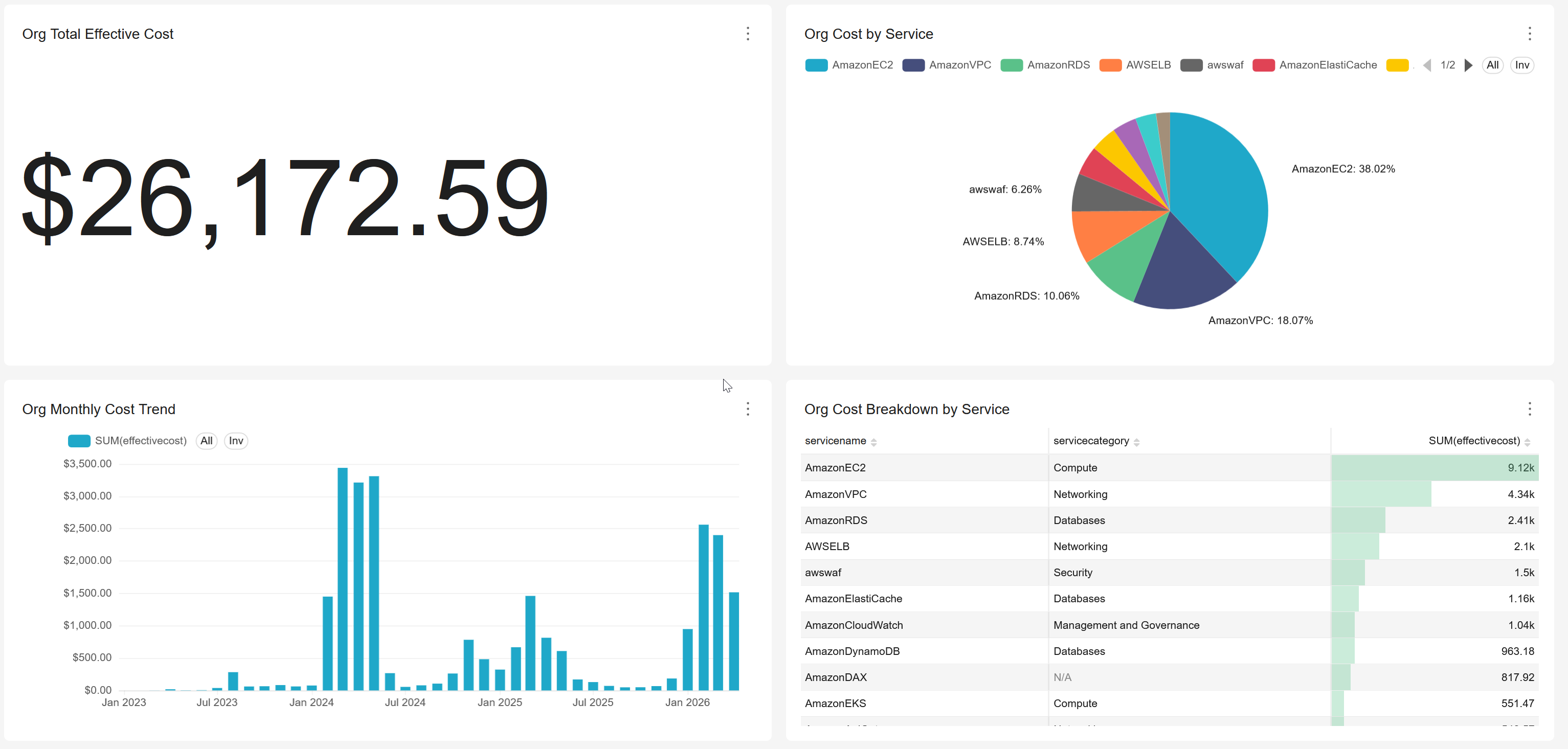
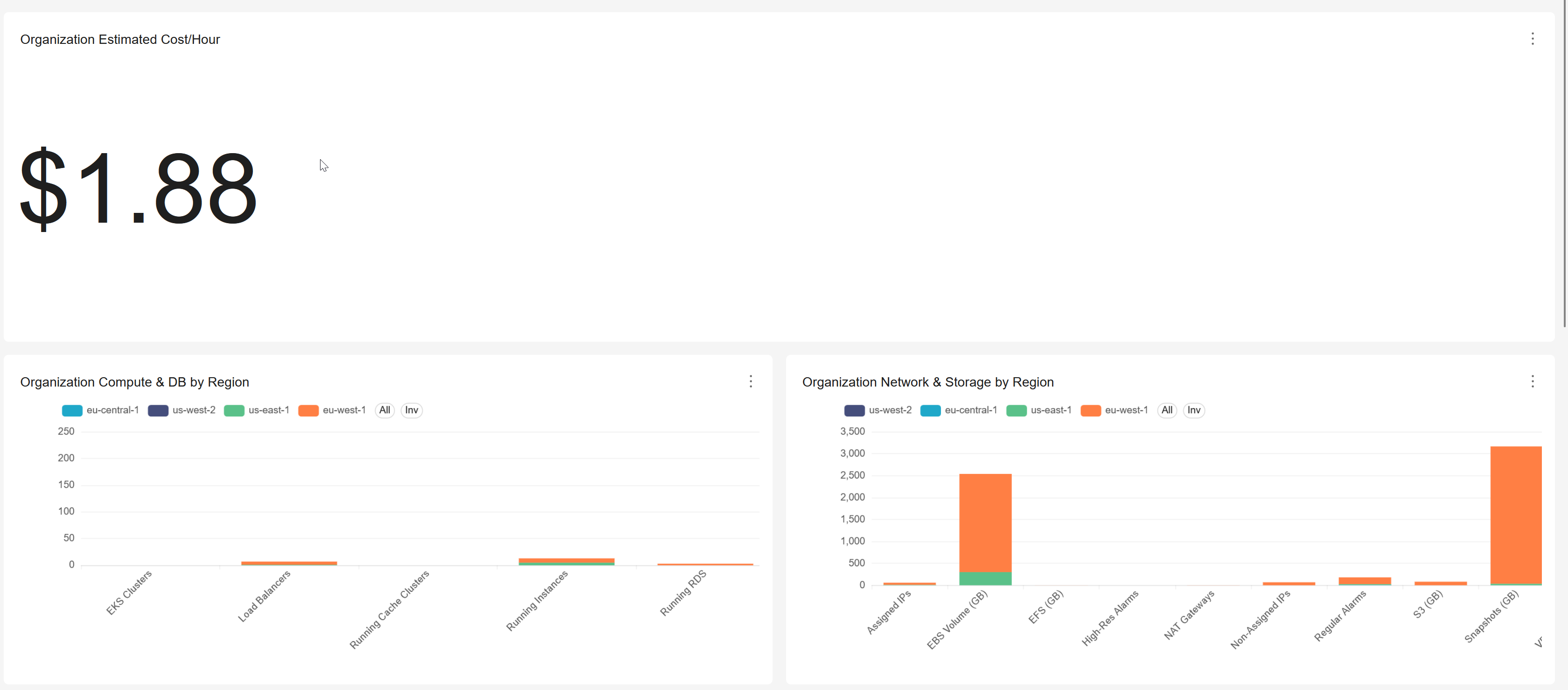
Shift-left is the starting point. Closed-Loop FinOps is the full lifecycle.
| Lifecycle stage | Shift-left FinOps | Closed-Loop FinOps™ |
|---|---|---|
| Plan / design | Cost estimate at IaC plan time | Same, plus Formation previews |
| At launch | Advisory; enforcement depends on external policy | Creation-time quota checks block launches |
| While running | Out of scope | Continuous cost-vs-budget evaluation |
| Post-bill waste | Out of scope | Idle detection, autostop, auto-remediation |
| Scope | IaC flows only | Every launch path: console, self-service, API |
1. Define
Set the guardrails
Budgets, quotas, region and service limits, per user, team, or project, across every cloud.
2. Enforce
Continuous + creation-time
Cost vs budget re-evaluated continuously, not once a day. Quotas on machines, volumes, and storage checked at creation.
3. Deliver
Governed self-service
Users launch compute from the same platform, with the guardrails already applied. No shadow IT, no ticket queues.
4. Learn
Feed the loop
Live cost estimates and usage data tune budgets, surface idle resources, and autostop low-CPU machines, freeing budget automatically. Cost optimization that runs continuously rather than as a quarterly review.
Why only RosettaHub can close the loop
One governance decision covers every path at once. Tools built on billing data alone cannot catch overspend until hours later, and governance tools with no delivery layer cannot stop self-service. We cover both.
Closed-Loop FinOps™ · Grant what you choose
See it. Stop it. Fix it.™
See it
Observe
Find the waste. Nothing you run is touched, and set up takes 1five minutes.
Get StartedStop it
Govern
Stop more of it appearing. Budgets and limits your teams cannot spend past, and we still hold no administrative access.
Book a DemoFix it
Automate
Clean up what is already running. Prevention does nothing about the idle fleet you already own.
Book a Demo| What you get | Observe | Govern | Automate |
|---|---|---|---|
| Cost and resource dashboards, real time | ✓ | ✓ | ✓ |
| Cost allocation, showback and chargeback | ✓ | ✓ | ✓ |
| Your data stays in your own cloud account | ✓ | ✓ | ✓ |
| Compliance scanning, ten standards | ✓ | ✓ | ✓ |
| Idle detection and savings recommendations | ✓ | ✓ | ✓ |
| Anomaly detection and AI usage tracking | ✓ | ✓ | ✓ |
| Block over-budget creation at the cloud | · | ✓ | ✓ |
| Quotas, region, service and machine limits | · | ✓ | ✓ |
| Sandbox every account | · | ✓ | ✓ |
| Control which AI models each role may call | · | ✓ | ✓ |
| Stop the compute when the budget runs out | · | · | ✓ |
| Autostop on idle and scheduled shutdown | · | · | ✓ |
| Compliance auto-remediation and drift correction | · | · | ✓ |
| Account freeze and cleanup | · | · | ✓ |
| Federated cloud console, no shared credentials | · | · | ✓ |
| Vended sandboxes, the Account Vending Machine™ | · | · | ✓ |
| Administrative access we hold | None | None | Required |
Moving from Observe to Govern is a setting change on a stack you have already deployed. Automate is a deliberate step, because acting on a running resource is the point where we need administrative access.
And then Build it
There is a fourth rung. Build is Automate with RosettaCloud switched on across the accounts RosettaOps governs, so the people working in them can provision for themselves inside the limits you set.
See how Build is priced →Accounts, not tags
The account is the allocation unit
A tag is a reporting layer. It cannot block a launch, it does not backfill, and scripted launches ship without it. We allocate and enforce on the account instead, so the numbers add up and the limits actually hold.
Your existing tags keep working. Cost and usage data follows the FinOps FOCUS 1.3 specification, so your finance tooling reads a schema it already knows.
Why the account structure does this →A landing zone that knows
what things cost
RosettaOps deploys the governed multi-account structure your cloud prescribes, keeps it in step with your organisation, and builds cost into the foundation rather than bolting a dashboard on afterwards.
How the landing zone works →What you can do with RosettaOps

Provision accounts in seconds
Create sandboxed cloud accounts for every user, team, or project automatically. Recycle accounts when they're done. Onboard new team members in seconds, not days.

Block overspend before it happens
Continuously re-evaluate cost against budget. Roll up spend by user, project, team, or product so unit economics stay visible. Set hard caps before the bill arrives. Auto-shutdown of non-prod typically frees 20 to 40%.

Lock down every account
Sandbox users in isolated cloud accounts. Cap storage, machines, and instance types. Restrict which regions and services each team can use. Scan ten compliance standards and auto-remediate violations.

Identity, sharing, and org structure that actually fit
Connect your SSO. Users can belong to many organisations at once. Share any resource across accounts and clouds, with no IAM policies to author. Portal and portfolios map to your real org chart.

Automate everything
Every operation in the dashboard works the same way from the command line, our SDKs, or the open API. Schedule recurring runs, script deployments, integrate with CI/CD, or build your own tools on top.

Control AI access
Set per-user budgets for AI models. Choose which models each team can use. Track AI costs in real time across models. Give your team AI access without the fear of runaway costs.
Real-time AI cost governance →What you grant
You decide what we can do
On every account, separately
You choose how much access each cloud account gives us when you set it up, and you can change it later, one account at a time. Governing your costs takes far less than most people expect. Budgets, quotas and policies all work without us being able to touch anything you run.
Whatever you grant, you can withdraw. Remove the stack and the access goes with it.
See exactly what each level of access allows →Shared accounts
One account. Several owners.
One honest bill.
Shared accounts get split by cost center, in proportion, and reconciled back to the bill. Chargeback that survives an argument, and a total that adds up.
Split by weight
Someone who works across two teams shows up in both, by weight. Nobody absorbs a whole account because they were the obvious name.
History that stays put
Cost is allocated the moment it is incurred. A reorg does not rewrite last quarter, and running the same report twice gives the same answer.
Nothing left unallocated
Every run reconciles to the bill and names whatever is left over. No mystery bucket for your business managers to distrust.
How the split is calculated: Cost Allocation and Chargeback →
Take control of your cloud
Book a 15-minute demo and see RosettaOps in action. No commitment required.
Book a DemoCommon questions
What is the difference between Observe, Govern and Automate?
Observe finds the waste and touches nothing you run. Govern adds budgets and limits your teams cannot spend past. Automate cleans up what is already running. Each one adds to the last, and moving from Observe to Govern is a setting change on something you have already deployed.
Do you need administrative access to our cloud accounts?
Not for Observe or Govern, where we hold none. Automate is the point where we need it, because acting on a running resource is not possible without it. Whatever you grant, you can withdraw: remove the stack and the access goes with it.
How long does it take to set up?
About fifteen minutes for Observe, on accounts you already have. Nothing you run is changed, and you turn enforcement on later, per account, when you want spend stopped rather than reported.
Can you allocate cost across teams that share one cloud account?
Yes. Shared accounts are split by cost center, in proportion, and reconciled back to the bill. Allocation is fixed when the cost is incurred, so a reorganisation does not rewrite last quarter.
Which compliance standards do you scan against?
Ten, covering SOC 2, HIPAA, PCI DSS, GDPR, NIST, FedRAMP, ISO 27001 and CIS. Scanning is included from Observe, and automatic remediation of what it finds is part of Automate. See continuous compliance for how the checks map to controls.